Scheduling and payroll for businesses with shift staff
The schedule
that fills itself.
You set what each shift needs. Your team picks their own shifts, from their own phones. You approve the exceptions. At the end of the month, the pay is already worked out.
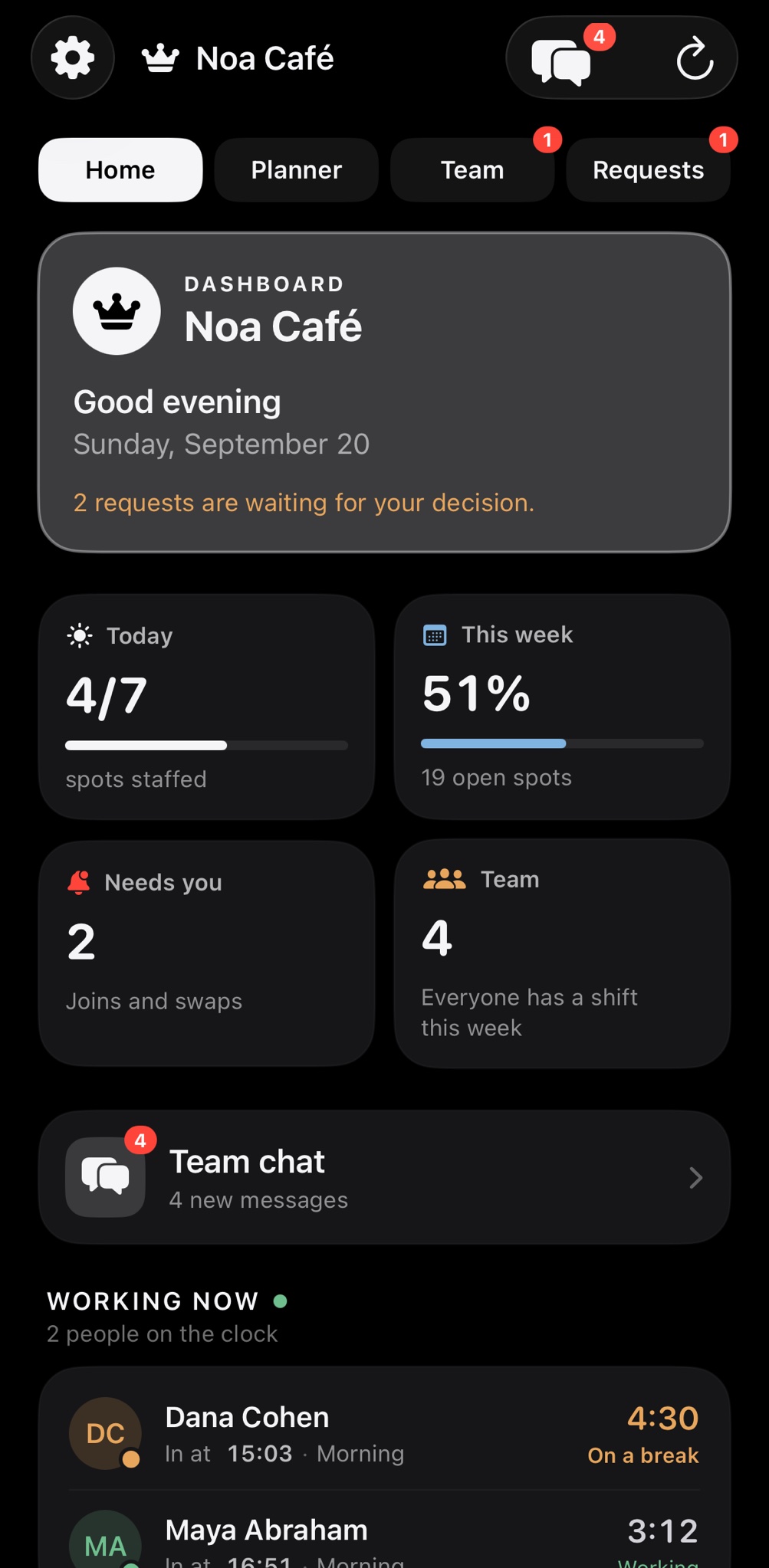
The idea
The week fills itself.
Managers don't like building the schedule. Staff don't like being told when to work. So the app splits the job: the manager says what each shift needs, and the people choose.
Manager
Sets the needs. Once.
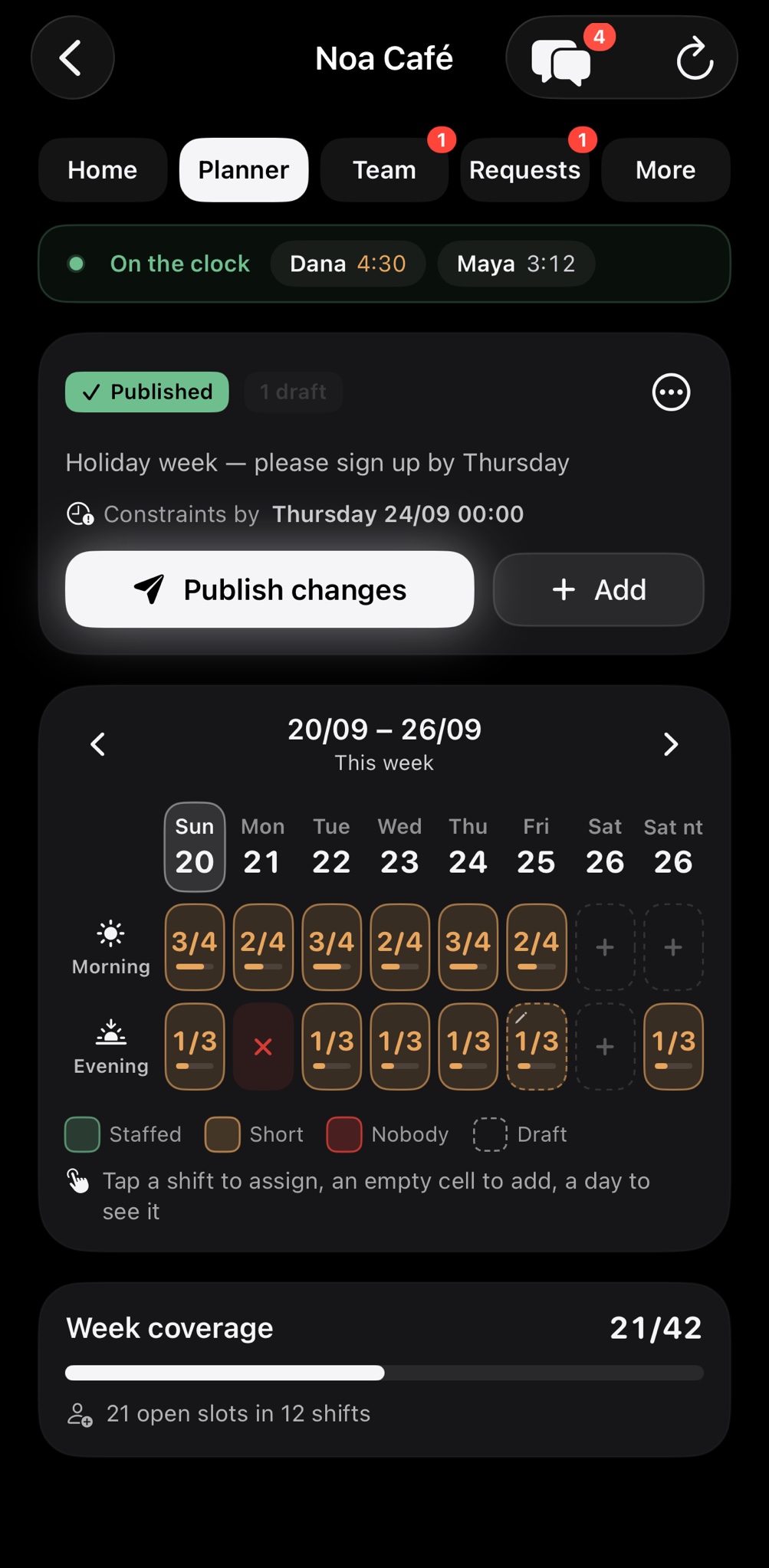
Morning: one shift lead, two baristas. Evening: two servers. Standing shifts repeat every week by themselves, so the board is ready before anyone opens it.
Team
Signs up for the shifts that fit.
A notification goes out. Each person takes the shifts that fit their life, in seconds, from their own phone. People who choose their shifts turn up for them.
Manager
Approves the exceptions.
A swap, a shift handed back, a slot still short. That is the whole job now: a tap, instead of an evening of messages.
Ten minutes to set up, one tap to publish, and the team does the rest.
The other half
The pay adds itself up.
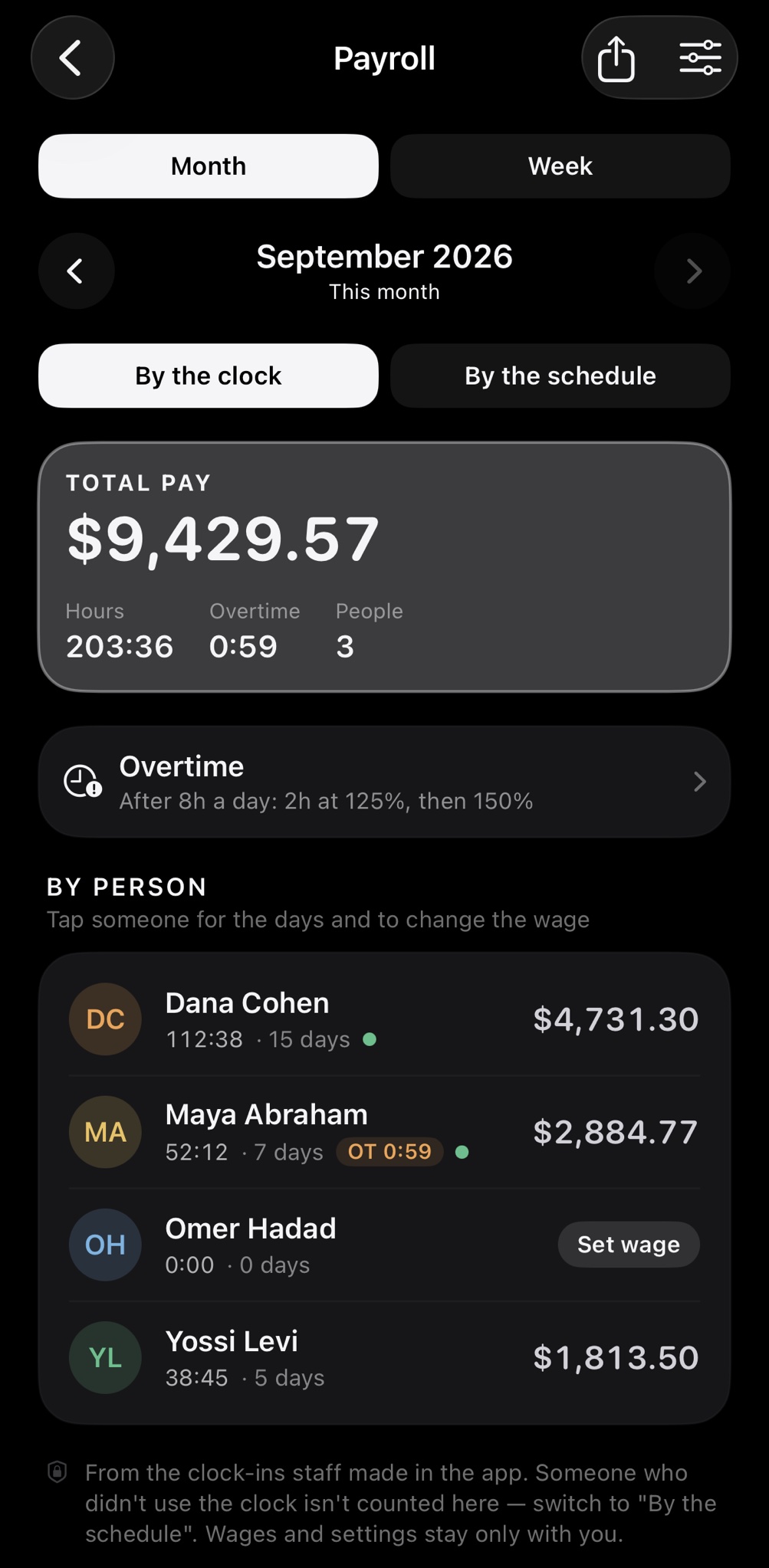
Every hour comes from a clock-in
Each employee starts and stops the clock on their own phone. The manager has everyone's hours, live, without asking anyone for a timesheet.
Smart pay calculation
Hourly rates, overtime by the rules you set, a raise that starts on the date you choose. At the end of the month, every person's pay is already there.
You check, then you pay
The numbers come from hours the app recorded itself, so checking takes minutes. A month you closed never changes afterwards.
How it works
Five steps.
About ten minutes.
Set up the business.
A name, the roles you hire for (server, cook, shift lead) and your opening hours. From then on the dashboard shows, at any moment, how many shifts are covered, what is waiting for you, and who is on the clock.
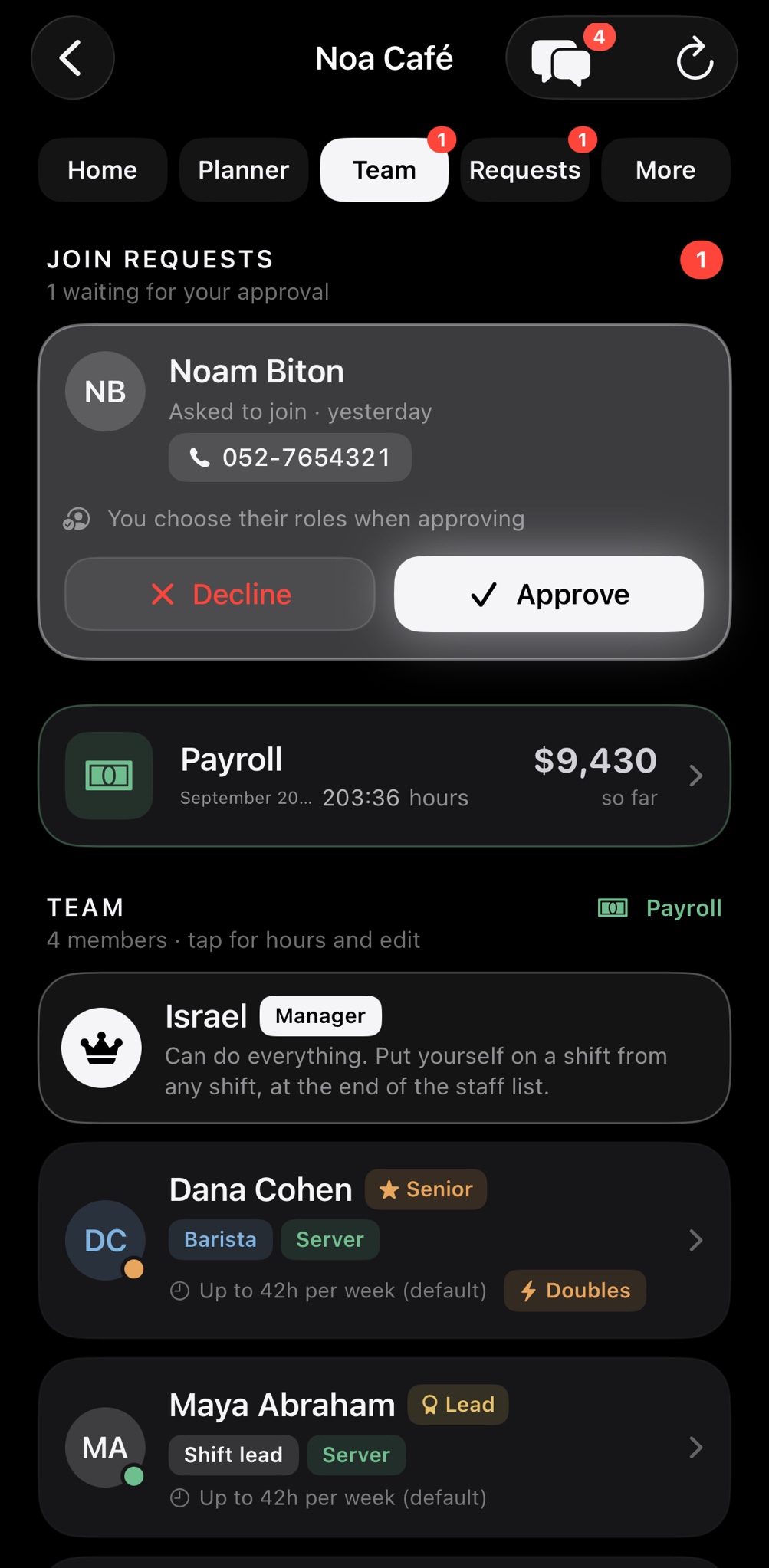
Invite the team.
Send each person a code or a QR. They join from their own phone, you approve and pick their role. No forms, no passwords to hand out.
Build the week, then publish.
Recurring shifts come back on their own every week. Publish, and the whole team gets a notification. People sign themselves up, and whatever is still short is flagged for you immediately.
Swaps, with your approval.
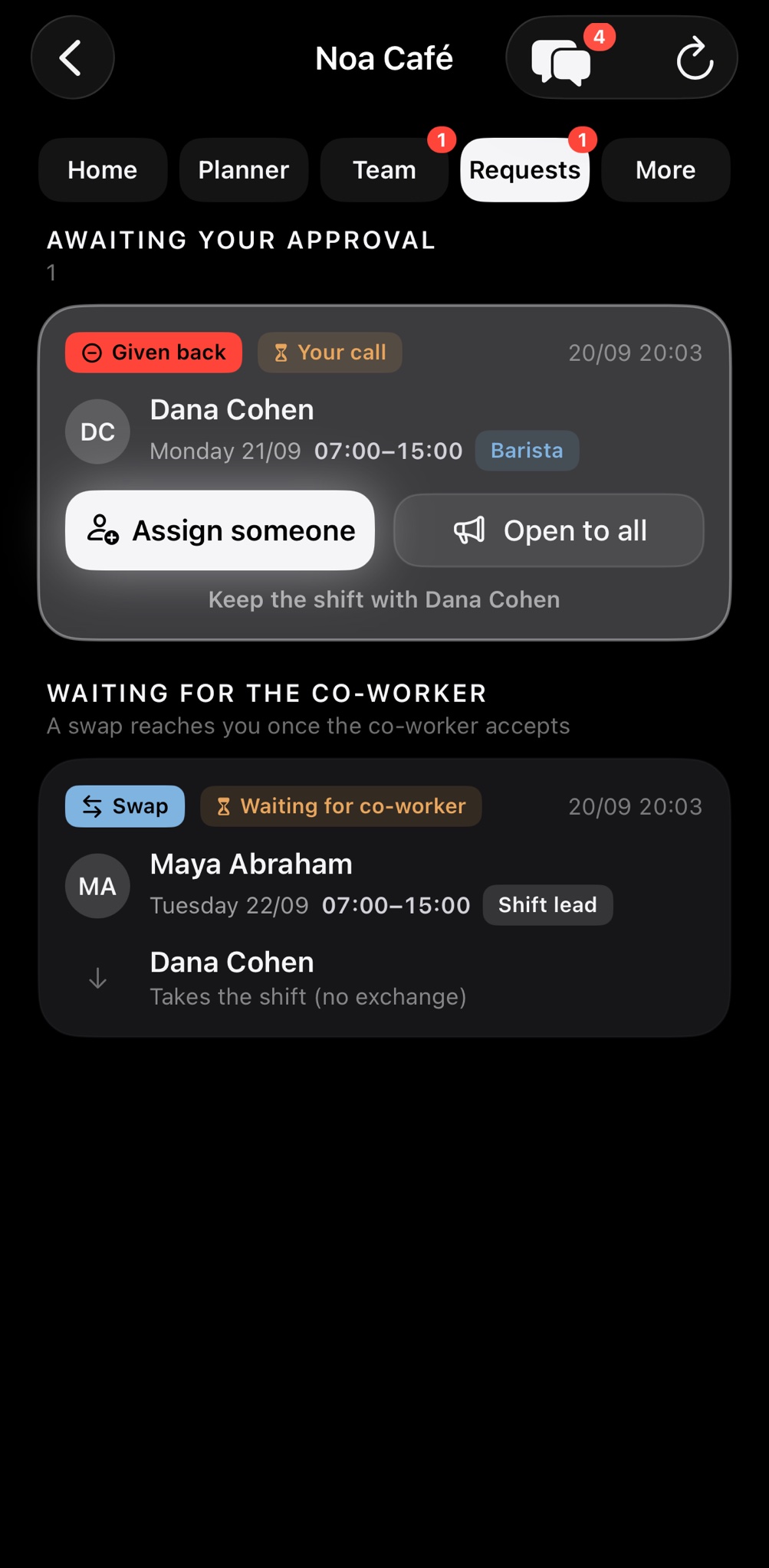
Someone asks to swap a shift or hand it over. You see who asked and who is covering, and approve with a tap. Everyone's board updates.
End of the month: hours and pay.
For every person: how many hours, how many shifts and what they are owed, overtime included. A pay change takes effect today or next month, and a month already calculated does not move.
And the rest of the month
Everything a manager needs.
Recurring shifts.
Build the week once. It comes back by itself.
Who is available.
Everyone marks when they can work, before you build.
Who is working now.
Clock-ins, breaks and hours, live and by person.
Pay with a date.
A raise from today or next month. Closed months never move.
Team chat, built in.
One channel, direct messages, no private numbers shared.
Works with no signal.
Saved on the phone, synced when the connection returns.
New
The team talks.
And competes.
Team chat
One channel for everybody, for the new schedule, a swap or someone looking for cover, and private messages between two people. Without a group chat full of personal phone numbers.
Quiet when you need it
Mute the team channel, block a person, report a message. A report reaches you and us, and we deal with it within 24 hours. Messages delete themselves after six months.
Employee of the month
A leaderboard by hours worked in the month, never by pay. Off by default, you turn it on; staff see the top three and their own place, and anyone who would rather not appear simply does not.
Working a shift?
Your own money clock.
Watch what you have earned tick up, second by second. No account, no internet, and nothing to do with any business.
No small print
What you should know.
Every business sees only itself.
The data sits on a server in Frankfurt, encrypted in transit, and each business is sealed off from all the others.
Your staff, your data.
You decide what is collected, and you are the one who tells the team about it.
You can leave whenever you want.
Delete your account from inside the app. A deleted business is really deleted.
Pay from real hours.
Every figure starts from a clock-in on an employee's own phone. Overtime and raises follow your rules, and you see the numbers before you pay.
About
Hi, I'm Yisrael.
I built Money Clock, and I run it. It started as a clock that shows you what your shift is paying you while you are still on it. The business side came next: the same clock for a whole team, so a manager gets everyone's hours without asking. Write to support@goldclockapp.com and it is me who answers.
Set it up today.
Download, choose “I run a business”, and ten minutes later the team is in.